Site.pro
  • AI Website Builder
    • AI Website Builder
    • Online Stores
    • Prices
    • Collaboration
    • Website Import
    • Plugins
    • Website Builder
    • Templates
    • For Design Studios
    • Useful Links
    • Affiliate Program
    • We Build for You
    • Examples
    • Languages
  • Domains
    • Register Domain Name
    • Migrate Domains
    • For Domain Investors
    • Domain Zones
    • Domainity
    • FAQ: Domains
    • Popular Domain Zones
    • .com
    • .org
    • .net
    • .us
    • .co
  • Email
    • Free Email
    • Email for Business
    • Prices
    • Transfer Emails
    • Custom Domain Email
    • FAQ: Email
    • Popular FAQs
    • Email Setup
    • Auto Reply
    • Auto Forwarding
    • Spam Protection
  • Accounting Software
    • Accounting Software
    • Modules
    • Prices
    • Integrations, API
    • Accounting Companies (385)
    • Software Integrators (52)
    • Affiliate Partners
    • Useful Links
    • Business Types
    • Use Cases
    • Accounting Companies
    • Sole Proprietor
    • Invoicing
    • Farmer
    • E-commerce
  • For Resellers
    • White Label
    • Revenue Share
    • Prices
    • Panels
    • How it Works
    • Marketing Materials
    • Mass Import
    • Our Partners
    • Reselling Examples
    • Documentation
    • Free Websites
  • Learn
    • Knowledge Base
    • Blog
    • Growth Hacking
    • For Hostings
    • For Education
    • Website Сreation Tutorial
    • Teaching Institutions (70)
    • Accounting Courses Worldwide
  • AI Website Builder
    • AI Website BuilderAI creates websites for you
    • Online StoresBuild online stores
    • PricesAdvanced Features
    • CollaborationCo-create websites live
    • Website ImportImport Any Website
    • PluginsBuilder plugin and functions
    • Website BuilderKey Features
    • Templates200+ Awesome Templates
    • For Design StudiosBenefits for Design Studios
    • Useful Links
    • Affiliate Program
    • We Build for You
    • Examples
    • Languages
  • Domains
    • Register Domain NameDomain registration, parking, transfer
    • Migrate DomainsTransfer. Connect. Renew
    • For Domain InvestorsDiscount on all domains
    • Domain ZonesBuy New Domain Name
    • DomainityDomain usage by country
    • FAQ: DomainsFind Answer
    • Popular Domain Zones
    • .com
    • .org
    • .net
    • .us
    • .co
  • Email
    • Free EmailCreate email
    • Email for BusinessAdvanced features & protection
    • PricesCheap email hosting
    • Transfer EmailsMigrate your mailboxes
    • Custom Domain EmailEmail address with your domain
    • FAQ: EmailFind Answer
    • Popular FAQs
    • Email Setup
    • Auto Reply
    • Auto Forwarding
    • Spam Protection
  • Accounting Software
    • Accounting SoftwareCloud based ERP
    • ModulesMain accounting software modules
    • Prices30 days free trial
    • Integrations, APIIntegration with external systems
    • Accounting Companies (385)Choose your partner for accounting
    • Software Integrators (52)Pick your integrations partner
    • Affiliate PartnersPartners and Affiliate program
    • Useful LinksCalculators and Calendars
    • Business TypesUse Cases
    • Use Cases
    • Accounting Companies
    • Sole Proprietor
    • Invoicing
    • Farmer
    • E-commerce
  • For ResellersWhite Label
    • White LabelCustomise Builder
    • Revenue ShareEarn 50% from each upgrade
    • PricesRevenue Share. White Label
    • PanelsOne product for all platforms
    • How it WorksCloud or On-Premises
    • Marketing MaterialsVideo. Mockups. Blocks
    • Mass Import
    • Our Partners
    • Reselling Examples
    • Documentation
    • Free Websites
  • Learn
    • Knowledge BaseFAQ, Tutorial, Video
    • BlogSite.pro Blog
    • Growth HackingBoost your sales
    • For HostingsTips on marketing
    • For EducationTraining. Tutorials
    • Website Сreation Tutorial
    • Teaching Institutions (70)
    • Accounting Courses Worldwide
  • Register
    Site.pro

    Create Your Account

    Get started — free and easy!

    Register

    By proceeding, you accept our Terms of Service and Privacy Policy
  • Log in
    Site.pro

    Welcome back!

    Access your work space

    Log in

    New user? Create account
    Forgot password?
  • $
  • English
  • Hosting Tips (74)
  • Shared Hosting (19)
  • Web Design (19)
  • Marketing (7)
  • Education (8)
  • eCommerce (7)
  • Cloud Accounting (2)

Table of Contents:

Category
Search

Table of Contents:

How Much Does It Cost to Launch a Website in 2026?

How Much Does It Cost to Launch a Website in 2026?

Today, a website for a small business is no longer a luxury reserved for serious companies. It is basic infrastructure. Clients search for services on Google and Yandex, read reviews, compare prices, and only then walk through the door. Without a website, a salon or a workshop simply does not exist for a significant portion of their audience.

Yet launching a website still scares business owners. Custom development is a major expense, and building it yourself seems too technical. In practice, it is simpler than you think. In 2026, a working website can be assembled in one day, and the technology does most of the heavy lifting for you.

The key is choosing the right three components: a domain name, hosting, and a website builder. This combination determines how fast your site appears in search results, how reliable it will be, and how much you will pay for ongoing maintenance. Let us break down each element.

Domain — Your Online Address

A domain is the name of your website that users type into their browser. Without your own domain, your site is only accessible through the platform's technical address. This not only looks unprofessional but also hurts your search rankings — long addresses like mysite.wordpress.com/mybusiness are hard for customers to remember and do not give search engines a local signal.

Which domain zone to choose

For a local business, you have several options, each serving a different purpose:

Zone Best For Approximate Cost Per Year (USD)
ccTLD (.de, .fr, .by, .ae) Local business serving a specific country $10–15
.com International business $10–12
.store / .online / .io Online stores, startups, digital services $15–30

Why a local domain matters

Registering a country-code domain gives your business several advantages:

  • Trust from local audience. A local domain immediately tells users that the company operates in their country. This is especially important for salons, clinics, and workshops — businesses that people visit in person.
  • Advantage in local search. Search engines consider the domain zone when ranking results. A site on a local ccTLD will rank higher for region-specific queries than a similar site on .com.
  • Availability. Good names are often still available in local zones when the .com version is taken.

Registration of most domains takes just a few minutes and is available to both legal entities and individuals.

How to choose a domain name

  • Use keywords that make it immediately clear what you do: yogastudio.de, repair.fr, coffeeshop.ae.
  • Avoid numbers and hyphens. They are hard to remember and awkward to dictate over the phone.
  • Keep it short. The ideal length is up to 12-14 characters excluding the zone.
  • Check availability before you start building your site.

What You Must Know About Hosting

Hosting stores all the files and data of your website, and its server responds to visitors when they type in your address. Without hosting, users will not be able to access your website.

Types of hosting

Type Description Suitable For
Shared Common server, resources distributed between sites Small business: salon, workshop, cafe
VPS Dedicated resources for your site on a shared server Medium business: online store, multi-location
Cloud Scalable resources, power can increase under load Projects with seasonal traffic spikes
Builder hosting Included in the plan, site tied to the platform Landing pages, business card sites, portfolios

For most small business websites, shared hosting or hosting built into a website builder is sufficient. If your business grows, you develop specific requirements, or you need higher capacity, you can consider VPS over time.

Website builder with hosting: pros and cons

If you choose an AI website builder or a classic website builder, hosting is usually included in the plan. This is convenient — no need to configure servers, manage updates, or deal with security. The platform handles the technical side.

There is one important downside: you are tied to the platform. If you later want to move to your own engine or another system, the site will need to be rebuilt from scratch. So choosing a builder should be treated as a long-term decision.

How to Create a Website

A website builder lets you create a page without knowing any code. Modern platforms fall into two categories: classic builders with ready-made templates where you insert your content, and AI builders where the site is generated from a text description.

Comparison of popular website builders

Builder Type Hosting Cost Per Month (USD) Best For
Site.pro AI + Classic Included from $1.50 Small business, fast launch
Tilda Classic Included from $10 Landing pages, portfolios
WordPress CMS Not included, purchased separately from $2 Any project, basic skills needed

What an AI website builder can do in 2026

Next-generation platforms like Site.pro generate a website from a text prompt. You simply write: "Create a website for a yoga studio in light colours. Add a booking form, price list, instructor page, and testimonials." In a few minutes, the platform delivers a complete page with structure, design, and text.

One important nuance: the more precise your description, the fewer manual edits you will need to make. A vague prompt like "make a beautiful website" will return a generic template that does nothing to set your business apart.

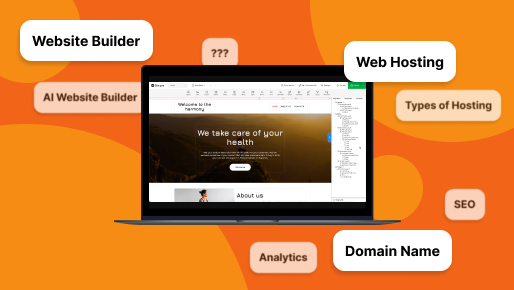
A website for a yoga studio created in Site.pro AI website builder

Business Email on Your Own Domain

This step is often overlooked, yet it has the biggest impact on how customers perceive your business. Inquiries from your site, correspondence with clients, and invoices — all come from your email address. If it is something like yourbusiness@gmail.com, customers subconsciously question your professionalism.

An address like info@yourbusiness.com looks professional and improves email deliverability — mail services are more likely to deliver messages from corporate domains.
Business email on your own domain can be set up in 10 minutes after registering your domain and costs just a few dollars per month. A basic mailbox is often included for free as a bonus with your hosting plan.

How Much Does It Cost to Launch a Website in 2026?

Here is a breakdown of the costs. Prices are approximate and depend on the provider and plan, but they give a realistic picture:

Component Minimum (USD) Optimal (USD)
Domain (per year) $10 $12
Hosting (included in builder plan) $0 $0
Builder subscription (per month) $0–2 $5–10
Corporate email on your domain (per month) $0–2 $3–5
Total first month ~$10–14 ~$18–27
Total first year ~$10–34 ~$70–130

For comparison: having the same site built by a web studio would cost anywhere from $500 to $3,000 and take two weeks to a month and a half. Building it yourself on a website builder achieves the same result in one day — at a fraction of the cost.

Step-by-Step Guide: Launch in One Day

  1. Register a domain. Think of a short, clear name, check its availability, and register it through an accredited registrar. Priority: a local ccTLD or .com.
  2. Choose a builder. For a quick start without technical knowledge, Site.pro works well: hosting is included in the plan, SSL is set up automatically, and there is a built-in AI assistant to generate the structure.
  3. Write your prompt. Describe your business in detail: what you do, your city, preferred design style, and required sections. The more accurate the description, the fewer edits you will need after generation.
  4. Connect your domain. In the builder's settings, specify your domain. This usually takes 5-10 minutes, and DNS propagation takes anywhere from one hour to one day.
  5. Set up corporate email. While connecting your domain, configure email like info@yourbusiness.com. Inquiries and correspondence with clients should go to a corporate address from day one — this builds trust and helps emails reach the recipient.
  6. Fill your site with content. Add real photos (compressed to 200-300 KB for faster loading), up-to-date prices, contacts, opening hours, and a booking form.
  7. Connect analytics. Install Google Analytics immediately after launch. Without this data, you cannot tell whether your site is working and which pages actually bring in leads.
  8. Check the mobile version. Open your site on a phone. Make sure all buttons are clickable, the inquiry form works, text is readable, and nothing important falls off the edge of the screen.

Common Mistakes

Saving money on your own domain

A site at an address like yourbusiness.builder-platform.com ranks worse in search results and looks amateurish to customers. Such an address is hard to remember and nearly impossible to dictate over the phone. Your own domain is mandatory for a commercial website.

Ignoring local hosting requirements

Some countries have data localisation laws that require commercial websites to be hosted on servers physically located within the country. Before choosing a builder, check whether it allows you to host your site locally or ties you to foreign servers. Wix and WordPress.com, for example, strictly tie your site to their infrastructure, which may not comply with local regulations.

Ignoring SSL

Without HTTPS, the browser shows visitors a "Not Secure" warning. This scares off customers and lowers your site's position in Google. Most modern builders and hosting providers set up SSL automatically and for free — just check that it is done.

No backups

Ask your provider whether automatic backups are made and how often. Complete loss of your site due to a technical failure or accidental user action happens more often than you think. If there are no backups, set them up manually or choose a different provider.

7 Best Website Builders of 2026
7 Myths That Hurt Your Business Website (And What to Do Instead)
© Site.pro 2011. Website Builder. United States.
Contact SalesTerms of ServicePrivacy PolicyCookie Settings